

Stress Echo Mode
Stress Echo Mode
Stress Echo Mode is designed to optimise review, analysis, and reporting of stress echocardiography studies by organising clips according to stress stages and cardiac views.
The mode provides:
- Synchronised playback
- Stage-based comparison
- Side-by-side wall motion review
- Streamlined navigation across views and stages
Open Stress Echo Mode
To enter Stress Echo Mode:
- Open the target stress echocardiogram study.
- Select Stress, or
- Press
S.
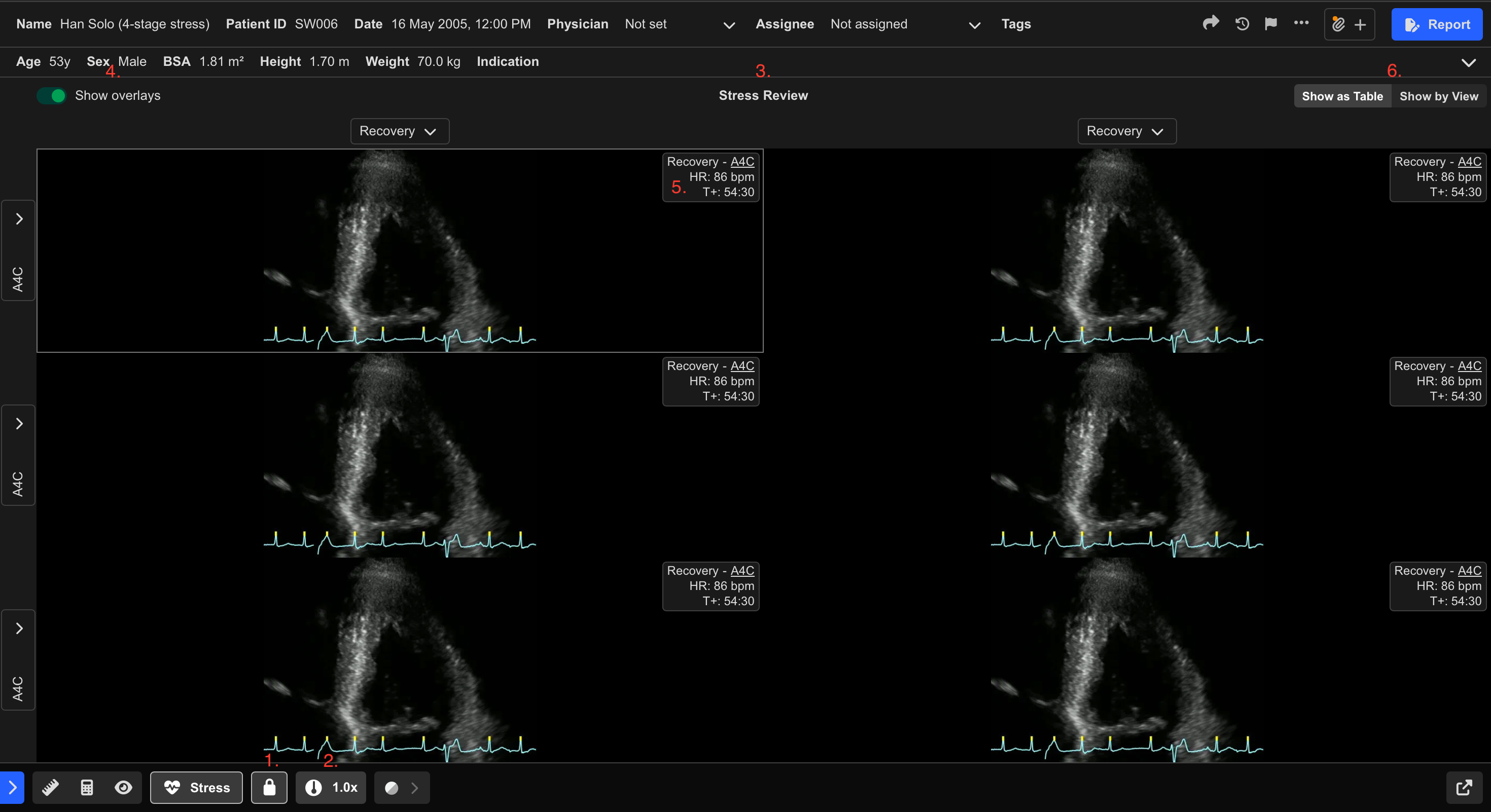
Once enabled, visible clips automatically synchronise playback.
Stress Echo Controls
Toggle Clip Synchronisation
To enable or disable synchronised playback:
- Select the Lock icon (1), or
- Press C
Adjust Playback Speed
- Select the Speed Dial icon (2).
- Adjust the playback speed as required.
View Stress Study Structure
- Hover over Stress Review (3).
The overlay displays:
- Number of stages
- Number of views
within the study.
View Clip Overlays
Hover over a clip to display additional information, including:
- Heart rate
- Stress stage
- Cardiac view
- Time elapsed since the start of stress imaging
To keep overlays permanently visible:
- Enable Show overlays in the top-left corner (4).
Update View Labels
If a clip has been assigned the incorrect cardiac view:
- Hover over the clip.
- Select the existing view label (5).
- Choose the correct view from the dropdown list.
The update applies immediately.
Stress Echo Layout Modes
Stress Echo Mode supports two viewing layouts.
Show as Table
The Show as Table layout:
- Displays up to four stages across four views
- Enables side-by-side wall motion comparison
Within this layout:
- Columns represent stress stages (for example Baseline, Peak, or Recovery)
- Rows represent cardiac views
Rows and columns can be:
- Added
- Removed
- Rearranged
Show by View
The Show by View layout:
- Focuses review on a single cardiac view at a time
To switch between views:
- Use keyboard arrow keys
- Use on-screen arrows
- Use the dropdown menu
If multiple clips exist for the same stage and view:
- Select the desired clip from the overlay controls
Measurements and Reporting
Measurement tools remain available while in Stress Echo Mode.
Reporting functionality can also be accessed directly using Report from the Study Viewer.
 MFR
MFR