

Study Review
Brightness and Contrast
Adjust image brightness and contrast directly in the Study Viewer.
Brightness and Contrast
HeartLab allows users to adjust image brightness and contrast directly within the Study Viewer to improve visualisation of anatomical structures and optimise image review.
These adjustments can help improve:
- Border visibility
- Measurement accuracy
- Clip comparison
- General viewing comfort
Adjust Brightness and Contrast
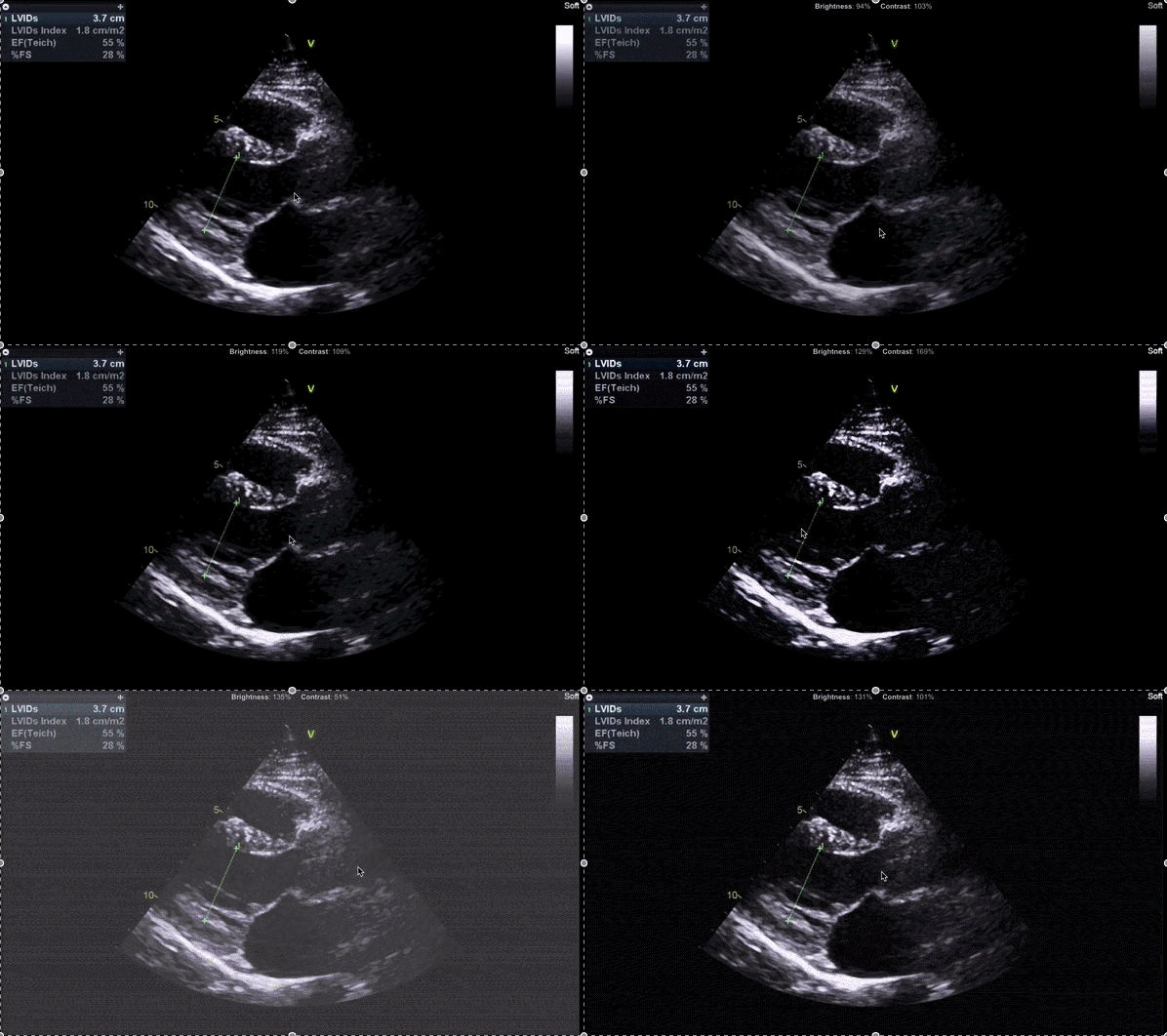
- Select and hold anywhere on the target image within the Study Viewer.
- While holding:
- Move vertically to adjust brightness
- Move horizontally to adjust contrast
- Release to retain the adjustment.
The selected brightness and contrast settings remain applied to the clip window until reset.
Reset Adjustments
To restore the default image appearance:
- Select the X beside the brightness/contrast value overlay.
Additional Notes
Brightness and contrast adjustments apply only to the selected clip window.
Adjust brightness and contrast before performing measurements to improve contour visibility and placement accuracy.
 MFR
MFR