

Viewing Reports
Viewing Reports
Study reports are created, reviewed, and managed through the Report Pane within HeartLab.
Depending on user permissions, the Report Pane may provide access to:
- Preliminary report editing
- Final physician sign-off
- Report amendments
- Internal clinician notes
- Previous report versions
Open the Report Pane
The Report Pane can be opened from either the Study List or the Study Viewer.
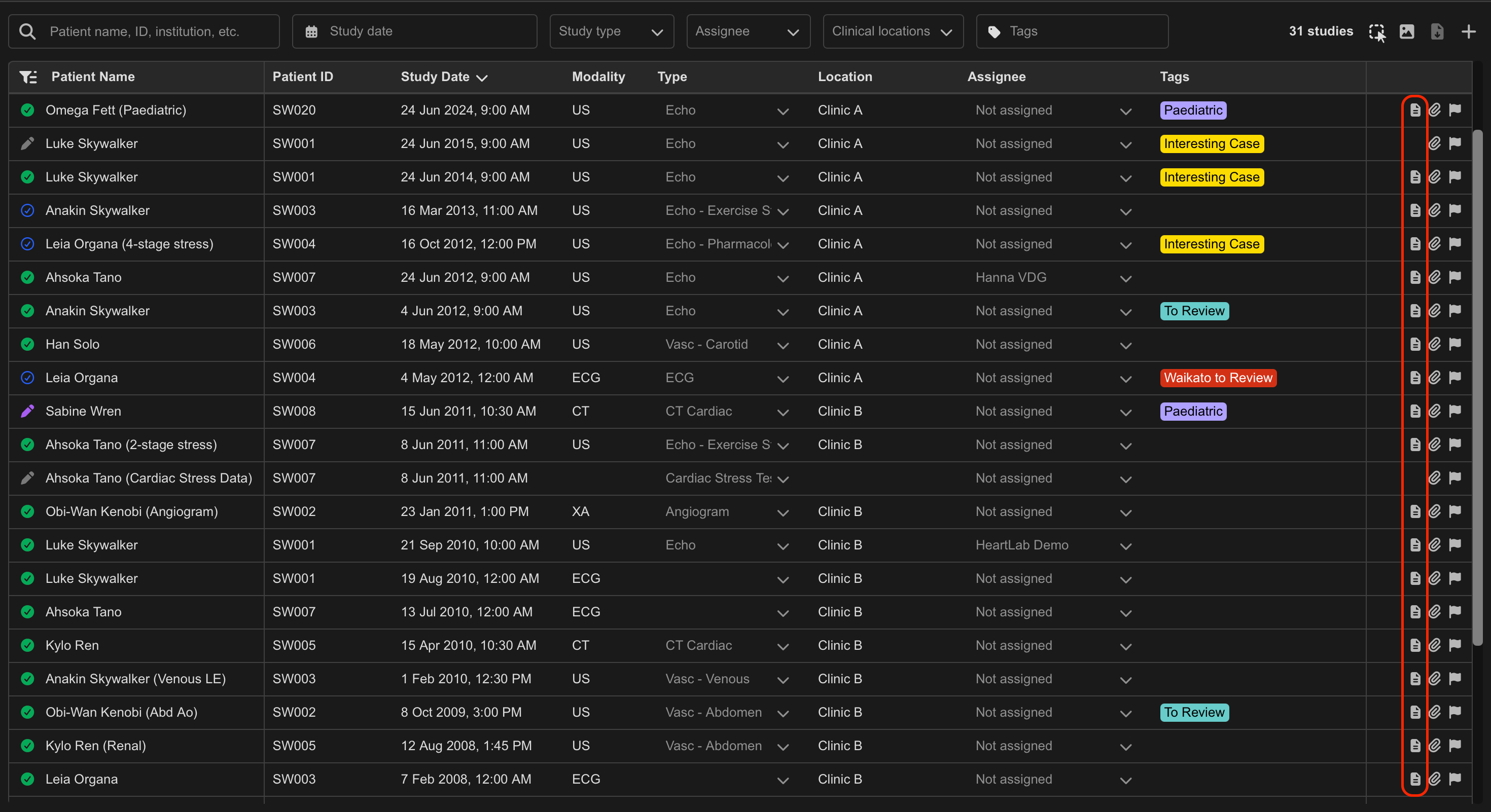
From the Study List
- Locate the desired study.
- Select View Report from the right-hand side of the study row.
From the Study Viewer
- Open the desired study.
- Select Report in the top-right corner, or
- Press R
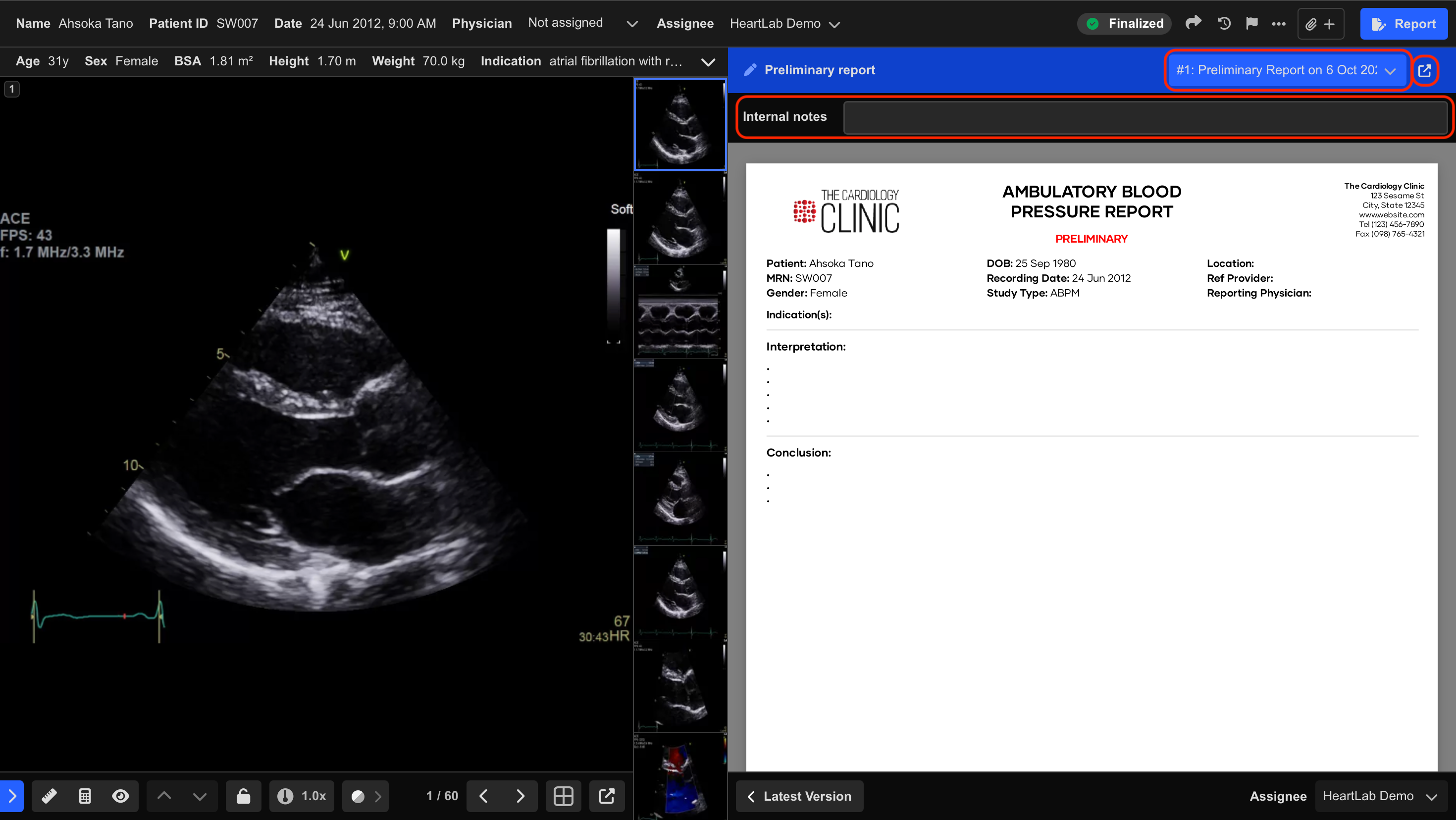
The Report Pane expands from the right-hand side of the Study Viewer.
Using the Report Pane
Resize the Report Pane
To resize the Report Pane:
- Click and drag the edge of the panel.
Open in a Secondary Window
To move the report into a separate window:
- Select the Open Report in Secondary Window icon.
Users can choose to display:
- The reporting interface, or
- An extended Cine Viewer
within the secondary window.
View Previous Report Versions
To switch between report versions:
- Open the version dropdown menu.
- Select the desired report version.
This allows review of:
- Preliminary reports
- Final reports
- Amendments
- Previous revisions
Internal Notes
If enabled, the Internal Notes section allows clinicians to leave comments for other internal users.
Internal Notes:
- Are visible only to authorised internal users
- Are excluded from the final report
- Do not appear in distributed reports
Dictation Recordings
If enabled, audio dictation can be recorded alongside the Internal Notes, for example so that an external typist can play it back and type it into the report.
To record dictation:
- Select the microphone button to the right of the Internal Notes field, and allow access to the microphone if prompted.
- Dictate, then select the same button again, which shows a stop icon while recording. Recordings shorter than one second are discarded automatically.
Recordings can be up to 10 minutes long, and recording stops automatically when this is reached. Closing the study or the report pane while recording discards the recording.
The recording is saved to the study and listed with its length, who recorded it, and when. A study can have multiple recordings.
Dictation Recordings:
- Can be played back by users with permission to view reports
- Can be recorded by users with permission to create preliminary reports
- Can be deleted by users with permission to update the study
- Are not available through study share links
- Are excluded from the final report and do not appear in distributed reports
 MFR
MFR