

Report Templates
Sentence Library
Create sentence groups, embed measurement variables, and map sentence sets to report sections.
Sentence Library
The Sentence Library allows organisations to create reusable groups of standardised reporting phrases that can be inserted quickly during reporting.
Sentence Groups help:
- Reduce repetitive typing
- Improve reporting consistency
- Standardise clinical language
- Minimise manual data entry errors
- Speed up report completion
Sentences can also include dynamic measurements and calculations that populate from study data.
Access the Sentence Library
To access the Sentence Library:
- Navigate to Settings → Reporting → Sentence Library.
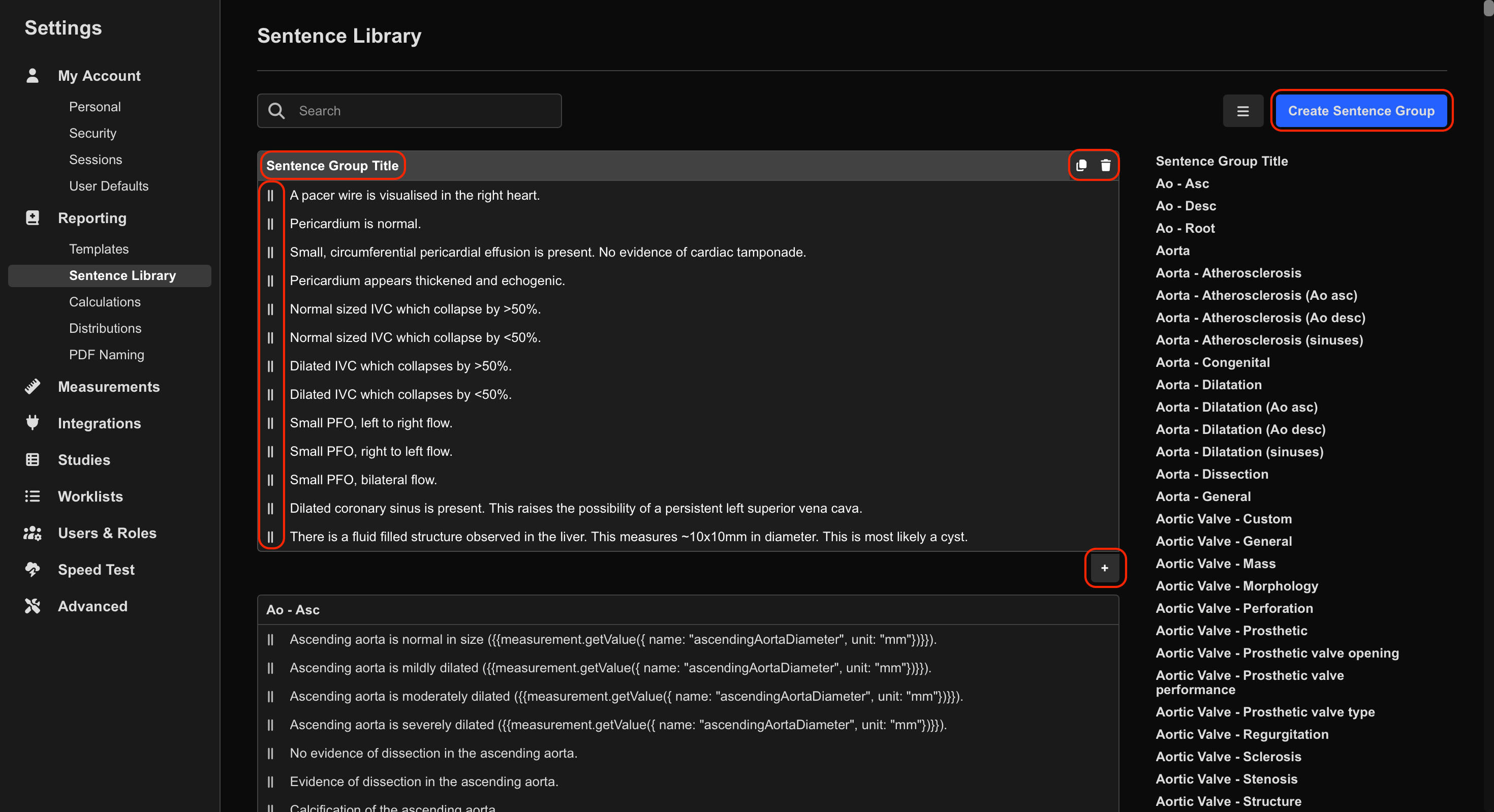
From here, users can create new Sentence Groups or edit existing groups.
Create a Sentence Group
Sentence Groups are used to organise related sentences and can be assigned to specific report sections or tables.
To create a Sentence Group:
- Select Create Sentence Group.
- Enter a name for the group.
Add Sentences to a Group
To add sentences to a Sentence Group:
- Select the Sentence Group.
- Select the + icon.
- Enter the sentence into the provided field.
- Repeat as needed to add additional sentences.
Within a Sentence Group, users can:
- Add sentences
- Duplicate sentences
- Rearrange sentences using drag-and-drop
- Delete sentences
Insert Measurements and Calculations into Sentences
Sentences can include dynamic values from study data, including:
- Patient information
- Study information
- Measurements
- Custom calculations
Calculations must be wrapped in double curly braces:
{{ ... }}

## Related

- [Building Report Templates](/report-templates/creating-and-editing-report-templates)
 MFR
MFR