

Administration
Attached File Types
Create and manage attached file type categories for consistent study documentation.
Attached File Types
HeartLab allows files to be attached to studies, including supporting documents and additional clinical information. Attached File Types help organisations categorise attachments, improving record consistency and making study documentation easier to manage.
Create Attached File Types
To create an Attached File Type:
- Navigate to Settings → Studies → Attached Files.
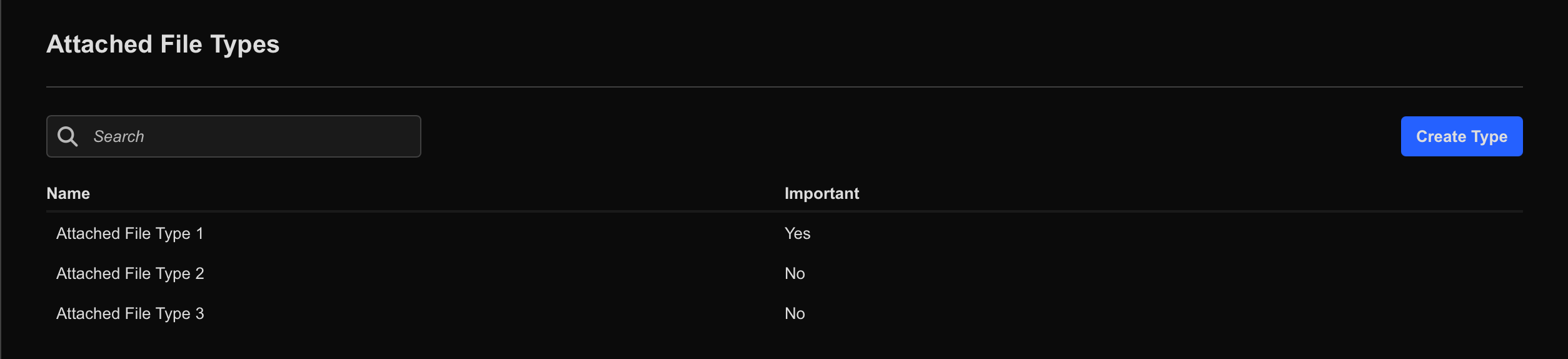
- Select Create Type.
- Enter a name for the Attached File Type.
- Optionally, enable Important.
- Select Create Type again to save.
If an Attached File Type is marked as Important, studies are expected to include at least one attachment of that type. Users will see an indicator on the Study List when required files are missing.
Restrict Attached File Types to Specific Study Types
Administrators can limit Attached File Types so they only appear for selected Study Types.
To restrict an Attached File Type:
- Navigate to Settings → Studies → Attached Files.
- Select the target Attached File Type.
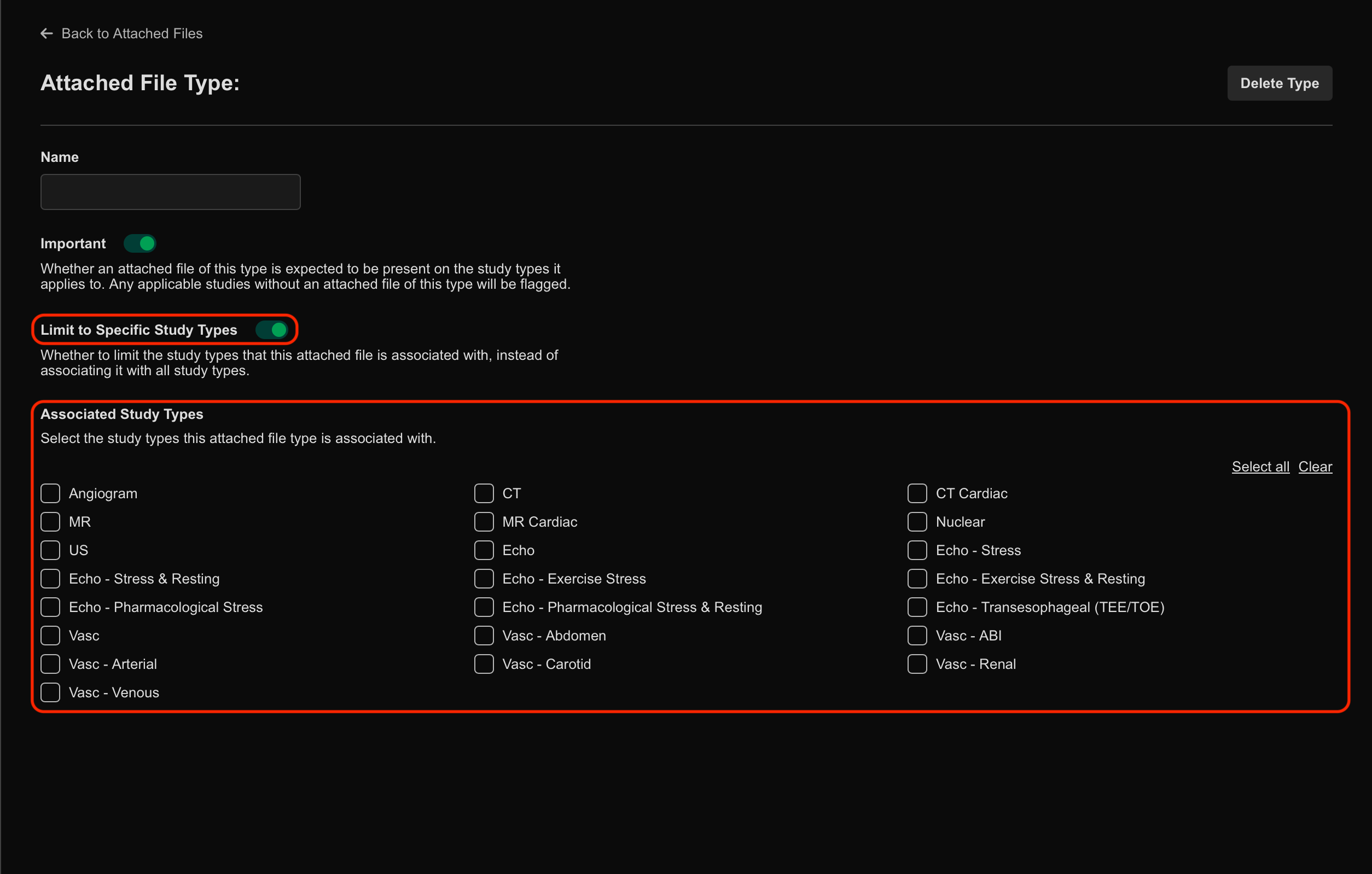
- Enable Limit to Specific Study Type.
- Select the applicable Study Types.
If Limit to Specific Study Type is disabled, the Attached File Type remains available for all studies.
 MFR
MFR