

Measurements
Configuring Measurement Sequences
Create and maintain measurement sequences to standardise acquisition workflows.
Measurement Sequences
Measurement Sequences allow administrators to define a standardised order for capturing measurements during study review. Sequences help guide users through acquisition workflows, improve consistency across studies, and reduce the likelihood of missed measurements.
Each sequence consists of ordered measurement steps, where each step defines the measurement tool and measurement type to be captured.
Create a Measurement Sequence
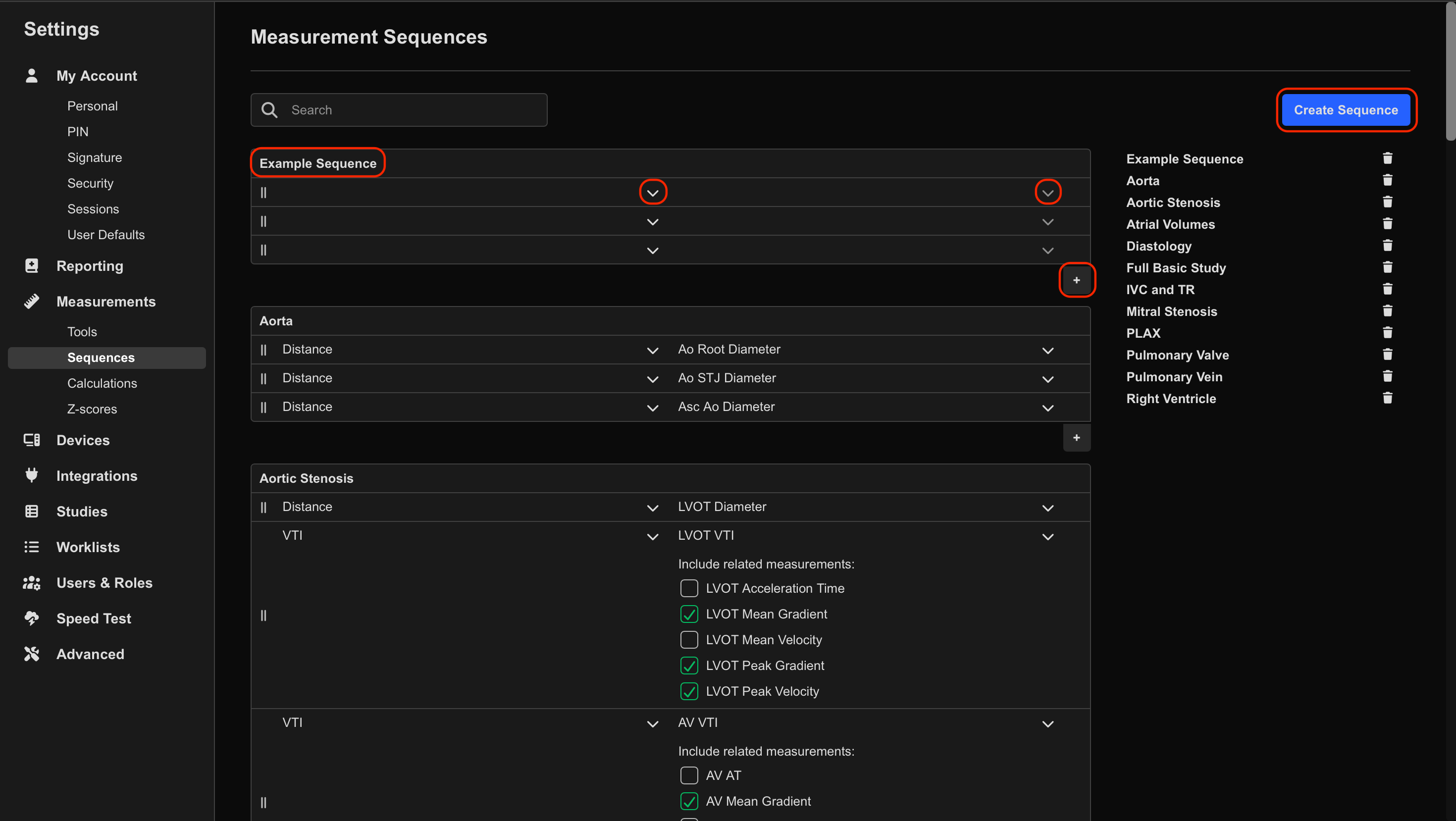
- Navigate to Settings > Measurements > Sequences.
- Select Create Sequence.
- Enter a name for the sequence.
- Configure each measurement step by selecting:
- Measurement Tool
- Measurement Name
- Click the + icon to add additional measurement steps.
- Reorder steps using drag-and-drop.
- Select the Bin icon to remove a measurement step.
- Click Save.
Edit an Existing Sequence
- Navigate to Settings > Measurements > Sequences.
- Locate the sequence you want to edit.
- Select the measurement step to modify.
- Update the:
- Measurement Tool
- Measurement Name
- Reorder steps using drag-and-drop if required.
- Save the updated sequence.
Use clear, standardised sequence names that align with organisational protocols and reporting workflows.
Measurement sequences should be reviewed and validated before clinical use to ensure they reflect the intended acquisition workflow and standard clinical procedures.
 MFR
MFR