

Administration Overview
Administration Overview
The HeartLab Settings menu contains the administrative functions used to manage:
- Access and permissions
- Security settings
- Reporting configuration
- Measurements
- Integrations
- Study workflows
- Organisational setup
These settings can significantly affect the downstream experience for users and may impact organisational security, workflow integrity, and compliance requirements.
Access Administration Settings
To access the administration settings:
- Select your profile name in the top-right corner.
- Select Settings.
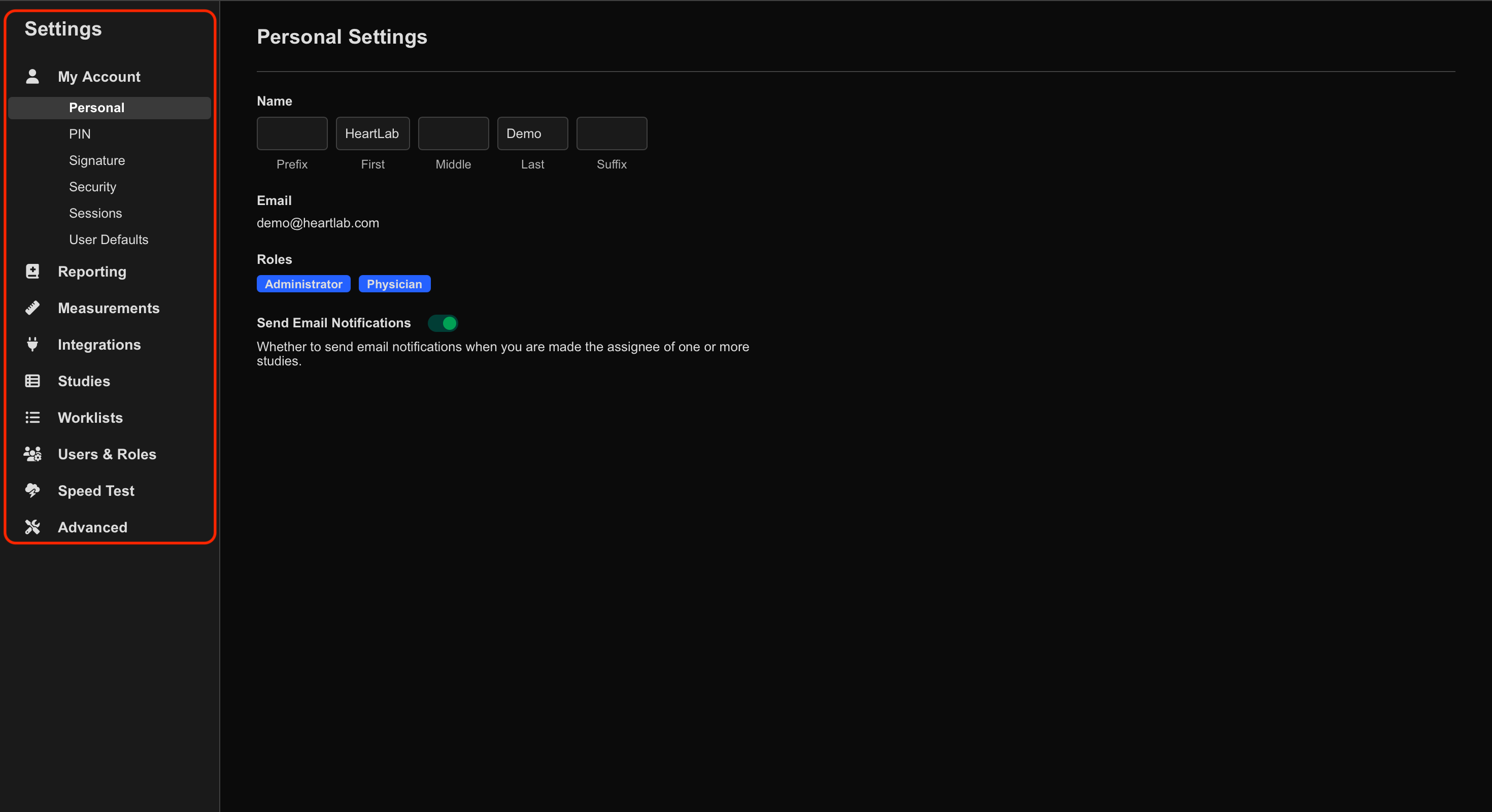
The settings categories appear in the left-hand panel. Selecting a category expands its available subcategories.
Main Administration Areas
My Account
The My Account settings allow users to manage:
- Personal information
- Passwords
- Notification preferences
Users with physician-level permissions can also manage:
- PIN
- Signature
- Logo
Reporting
The Reporting settings allow administrators to configure:
- Report templates
- Sentence libraries
- Report calculations
- Presets
- PDF filename settings
- Advanced reporting settings, such as Internal Notes, Dictation Recording, PIN requirements for report sign-off, amendment reason requirements, preliminary report watermarks, and mandatory field enforcement
Measurements
The Measurements settings allow administrators to configure:
- Measurement sequences
- Custom calculations
- Z-score reference values
- Advanced measurement settings, such as automatic resampling of area, volume, and VTI measurements, and the default selected state of externally created measurement values
Integrations
The Integrations settings manage connectivity between HeartLab and external systems.
Supported integration categories include:
- DICOM
- HeartBoxes
- HL7
- SFTP
- Webhooks
Studies
The Studies settings allow administrators to configure:
- Study List columns
- Attached file types
- Study assignment rules
- Workflow behaviour
- Study tags
- Clinical locations
- Advanced study settings, such as study assignment, the fields required when manually creating a study, study sharing, default location and location authorization, patient name format, and ethnicity options
Worklists
The Worklists settings allow organisations to configure appointment and scheduling workflows.
Worklists may be:
- Entered manually, or
- Automatically populated from external systems such as:
- PMS
- EMR
- Scheduling systems
When integrated, ultrasound machines can query HeartLab directly to automatically populate patient and study information.
Users & Roles
The Users & Roles settings allow administrators to:
- View users
- Manage permissions
- Assign roles
- Review user activity
- Modify role-based access
Administrators can also view:
- Email addresses
- Last login times
- Assigned permissions
Speed Test
The Speed Test tool allows administrators to perform network performance tests to assist with troubleshooting connectivity or performance issues.
This information may help HeartLab Support investigate:
- Slow uploads/downloads
- Connectivity issues
- Network instability
Advanced
The Advanced settings provide additional configuration options for:
- Security controls, such as session limits and API key access
- Third-party integrations
- Miscellaneous system preferences, such as locale and time zone
Audit Logs
HeartLab Audit Logs allow administrators to review actions performed within the organisation’s HeartLab environment.
Audit Logs include:
- User activity
- Patient-related actions
- Authentication methods
- IP addresses
- Dates and timestamps
Audit Logs can be filtered by:
- Date
- Action
- Patient ID
- User
- Authentication method
To access Audit Logs:
- Select your profile name in the top-right corner.
- Select Audit Logs.
 MFR
MFR