

Study Management
Changing Patient and Study Details
Update patient identity fields, study details, additional patient details, and study dates.
Changing Patient and Study Details
HeartLab allows authorised users to update patient identity information, study details, additional patient details, and study dates to maintain accurate clinical records throughout the reporting workflow.
Because these changes may affect clinical documentation and audit history, users are required to provide a reason whenever patient identity or study date information is amended.
Update Patient Identity Information
Patient identity information can be updated from either the Study List or the Study Viewer.
From the Study List
- Locate the target study.
- Select More Actions (Ellipsis).
- Select Update Patient Identity.
From the Study Viewer
- Open the target study.
- Select More Actions (Ellipsis) from the top toolbar.
- Select Update Patient Identity.
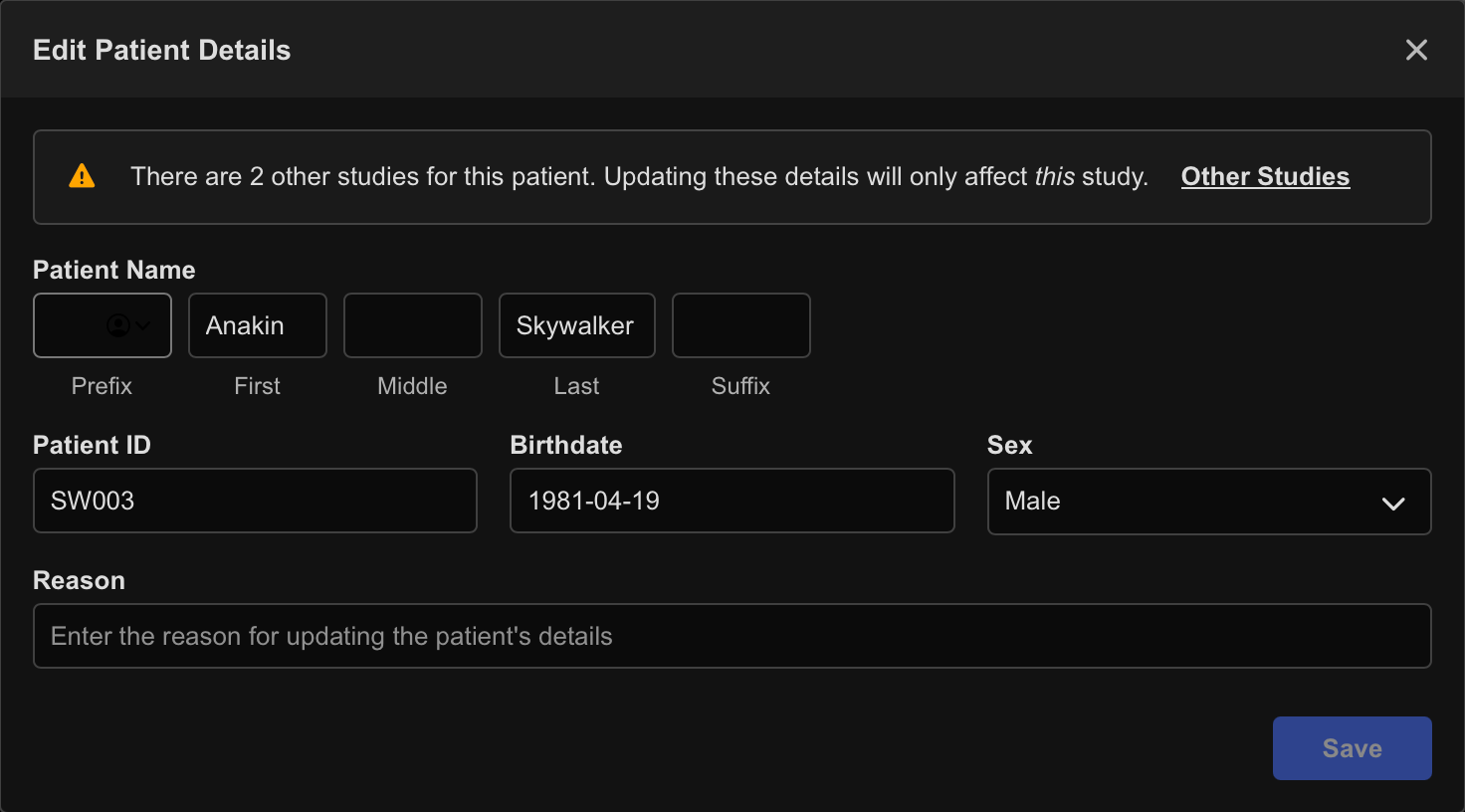
The update window allows modification of:
- Patient first, middle, and last names
- Prefix and suffix
- Patient ID / UUID
- Date of birth
- Sex
Save Changes
- Update the required fields.
- Enter a reason for the amendment.
- Select Save Patient Identity.
Changes made to one study do not automatically update other studies for the same patient within the tenant.
In the Study Viewer, you can quickly copy the following study details to your clipboard:
- Patient name
- Patient ID
- Study date and time
Update Study Details
Study details can be updated from the Study Viewer.
- Open the target study.
- Select More Actions (Ellipsis) from the top toolbar.
- Select Edit Study Details.
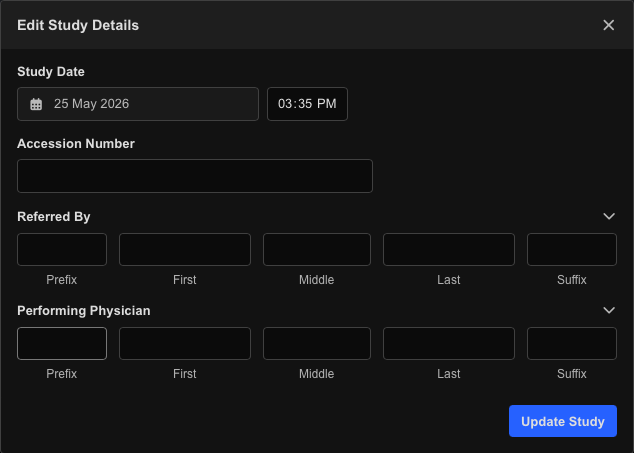
The update window allows modification of:
- Study date and time
- Study accession number
- Referring physician
- Performing physician
Save Changes
- Update the required fields.
- Select Update Study.
The current study date and time are displayed by default when opening the edit window.
Update Additional Patient Information
Additional patient details can also be updated from the Study Viewer.
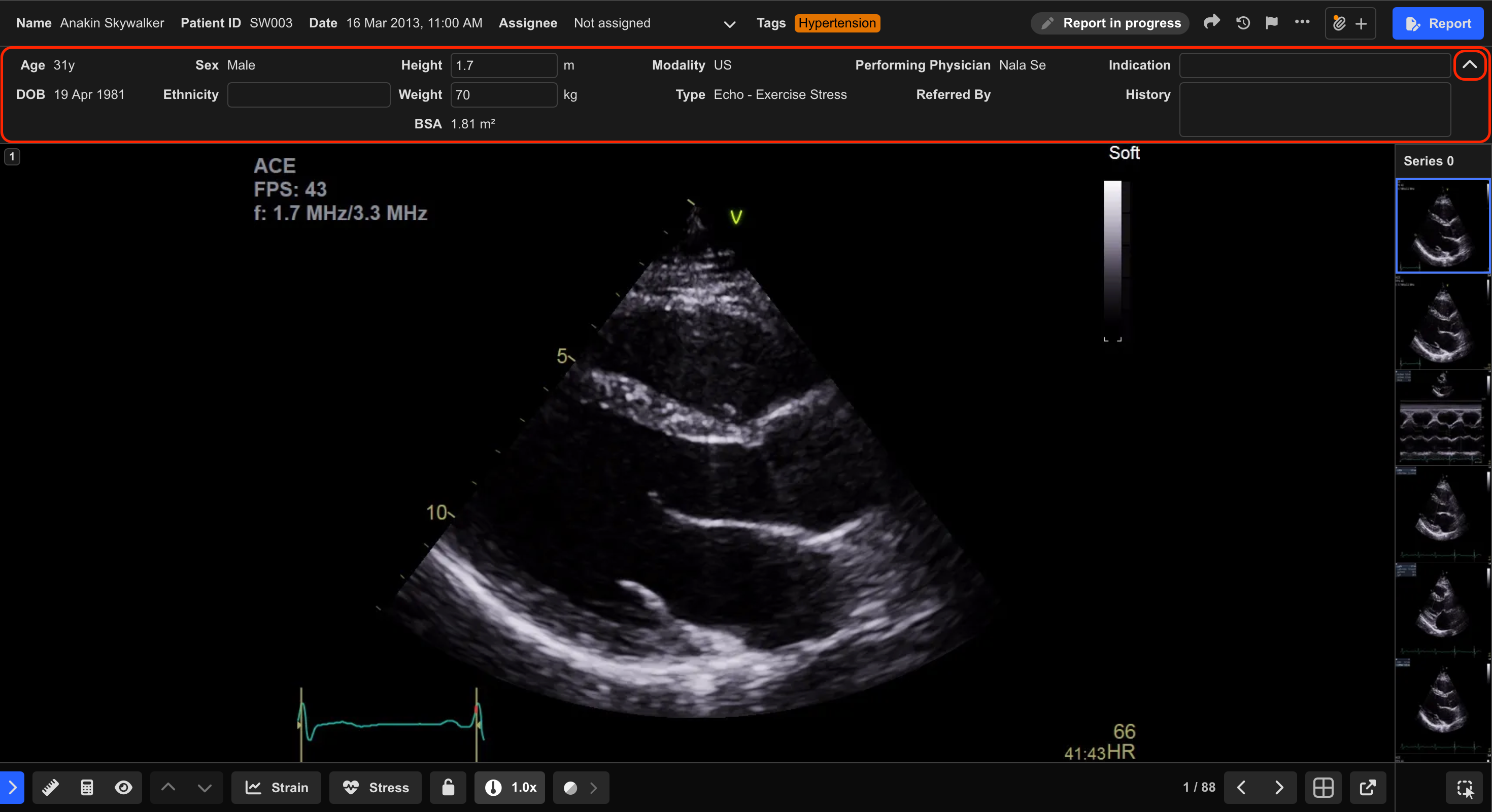
- Open the target study.
- Select the dropdown arrow in the top-right corner of the Patient Information Panel.
- Update the required fields.
Available fields may include:
- Ethnicity
- Height
- Weight
- Indication
- Clinical history
Additional Notes
Changes to patient identity information or study dates do not retroactively update finalised reports. To modify a finalised report, an amendment must be created.
 MFR
MFR