ECG Viewer
ECG Viewer
HeartLab allows 12-lead and Holter ECG tracings to be stored and reviewed alongside other study information without leaving HeartLab.
12-lead ECGs can also be included in reports.
Upload ECG Data to HeartLab
ECG data can be uploaded to HeartLab through several workflows depending on its source and format. These include:
- DICOM transmission directly from supported modalities.
- Automatic upload through the HeartLab Agent for supported cardiac stress test workflows.
- Manual attachment of ECG files to an existing study.
Supported ECG Formats
HeartLab supports the following ECG formats:
- European Data Format (.edf)
- GE CardioSoft XML
- GE MUSE XML
- Philips Sierra XML
- ISHNE (
.ecg) - DICOM Waveform ECG
For details on manually attaching ECG files to an existing study, see Attach Files.
For information about manually uploading DICOM data, including ECGs, see Upload Studies.
Viewing an ECG
To view an ECG:
- Open the required study from the Study List.
- Locate the ECG in the Clip List.
- Select the ECG thumbnail to open and display it within the Study Viewer.
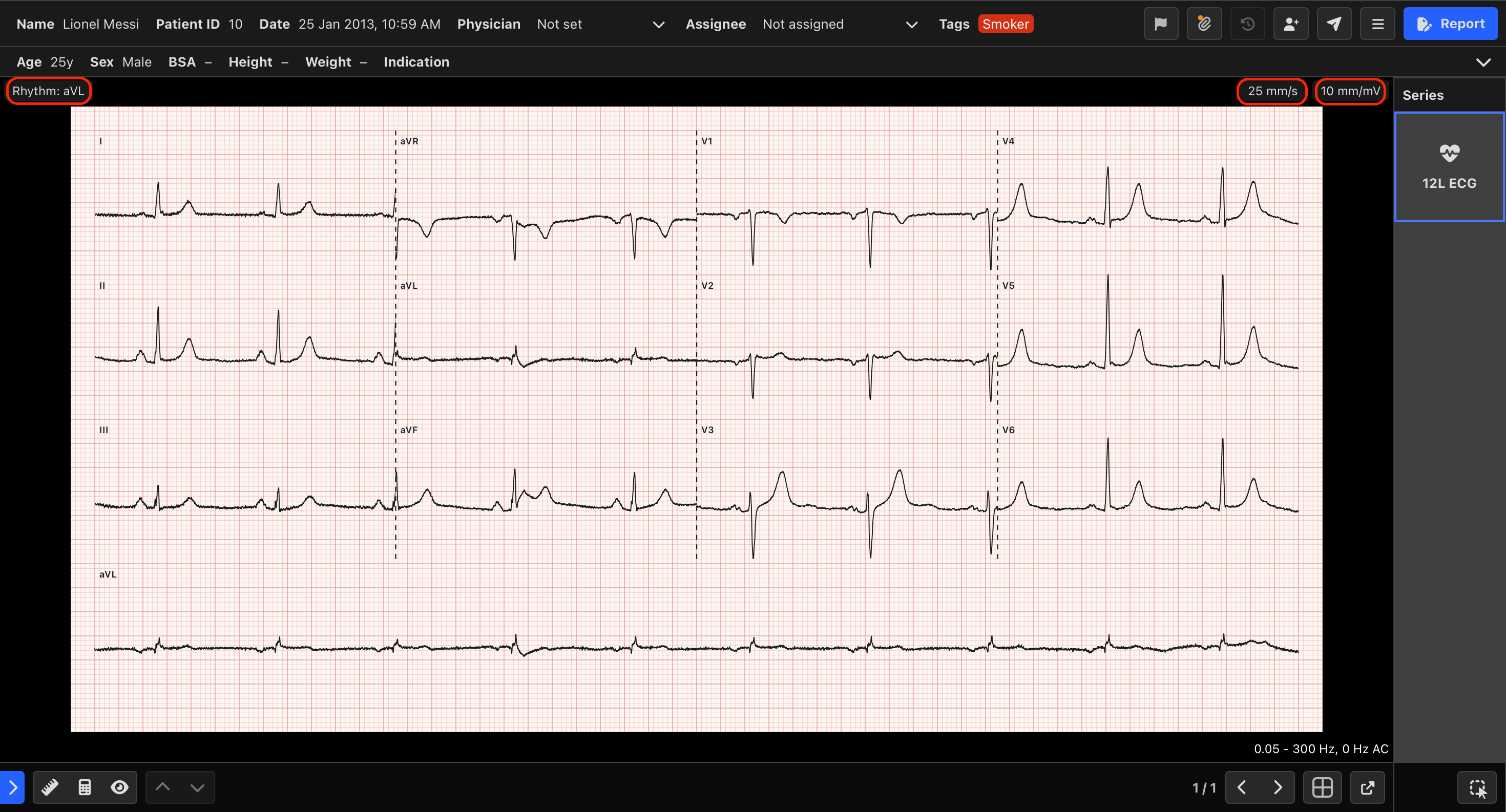
12-Lead ECGs
When viewing a 12-lead ECG, display controls are available above the ECG:
- Lead and Scale controls are located above the top-right corner of the ECG.
- Rhythm strip controls are located above the top-left corner of the ECG.
Select these controls as needed to adjust how the ECG is displayed.
Holter ECGs
When viewing a Holter ECG, use the mouse scroll wheel to move through the ECG recording.
This allows you to review the recording continuously within the Study Viewer.
Include ECGs in Reports
One or more 12-lead ECGs can be included directly on HeartLab reports when the selected Report Template is configured with a section for 12-lead ECGs.
For instructions on configuring a Report Template to include 12-lead ECGs, see Building Report Templates.
 MFR
MFR