

Measurements
Use Sequences
Run predefined measurement sequences to standardise study measurement workflows.
Measurement Sequences
Measurement Sequences guide users through a predefined order of measurements during study review. Sequences help standardise acquisition workflows, improve consistency across studies, and reduce the likelihood of missed measurements.
Each sequence presents measurement steps in order, prompting users to complete the required measurements before progressing through the workflow.
Steps
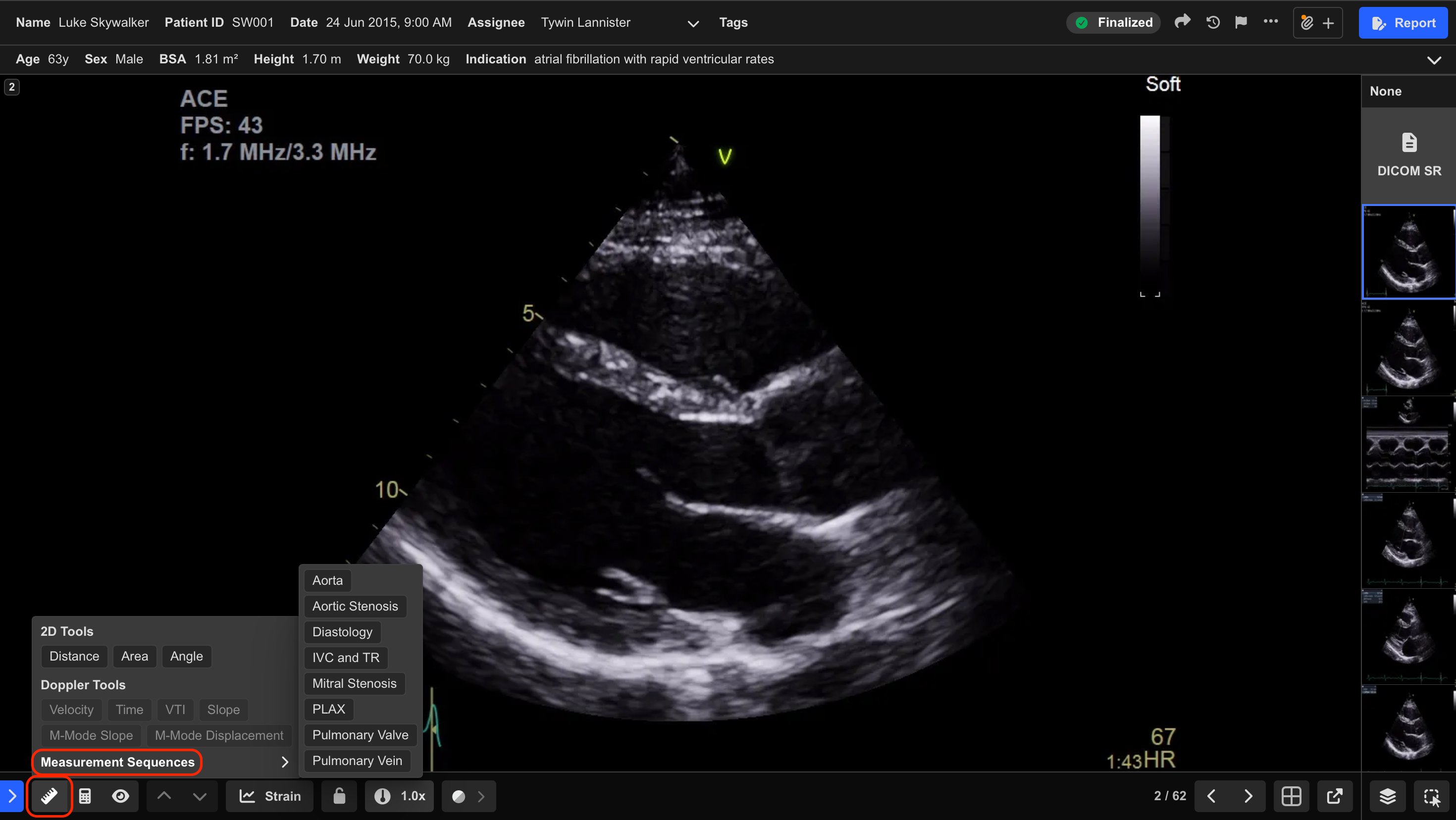
- Select Measurement Sequences from the Measurement Toolbar.
- Choose the desired sequence.
- Complete each prompted measurement in the displayed order.
- Press Enter to save the current measurement and progress to the next step.
- Select Skip only when clinically appropriate.
- Continue until all sequence steps have been completed or skipped.
HeartLab automatically advances to the next step after each measurement is saved or skipped.
- Use standardised sequence names aligned with organisational protocols to reduce selection errors.
- Follow the sequence in the intended order to maintain workflow consistency.
- Contact your administrator if expected measurement steps are missing from a sequence.
 MFR
MFR