

Study Management
Download DICOMs
Download complete studies or selected clips as DICOM files.
Download DICOMs
HeartLab allows users to download DICOM study files for use in external systems such as:
- PACS
- Third-party viewers
- Offline review environments
- Research or teaching workflows
Studies can be downloaded either as complete studies or as selected clips only.
Download an Entire Study
From the Study List
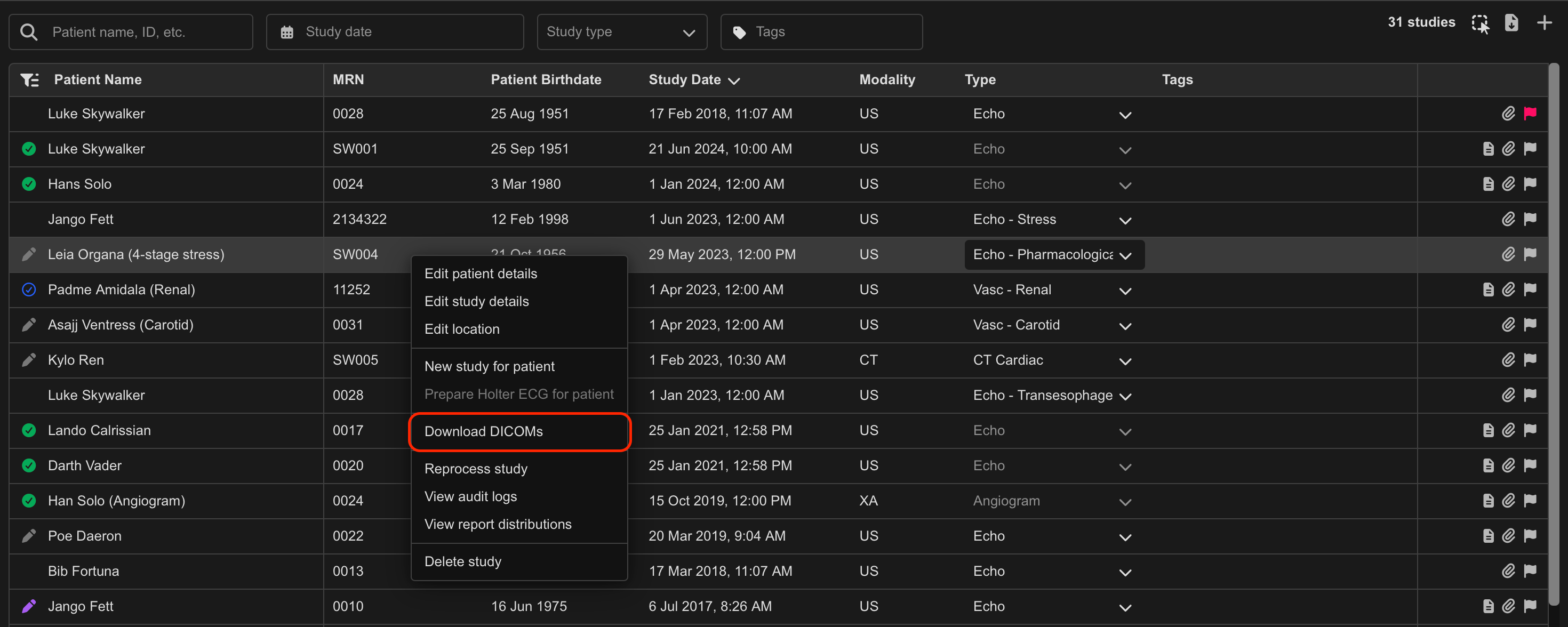
- Hover over the target study in the Study List.
- Right-click the target study.
- Select Download DICOMs.
From the Study Viewer
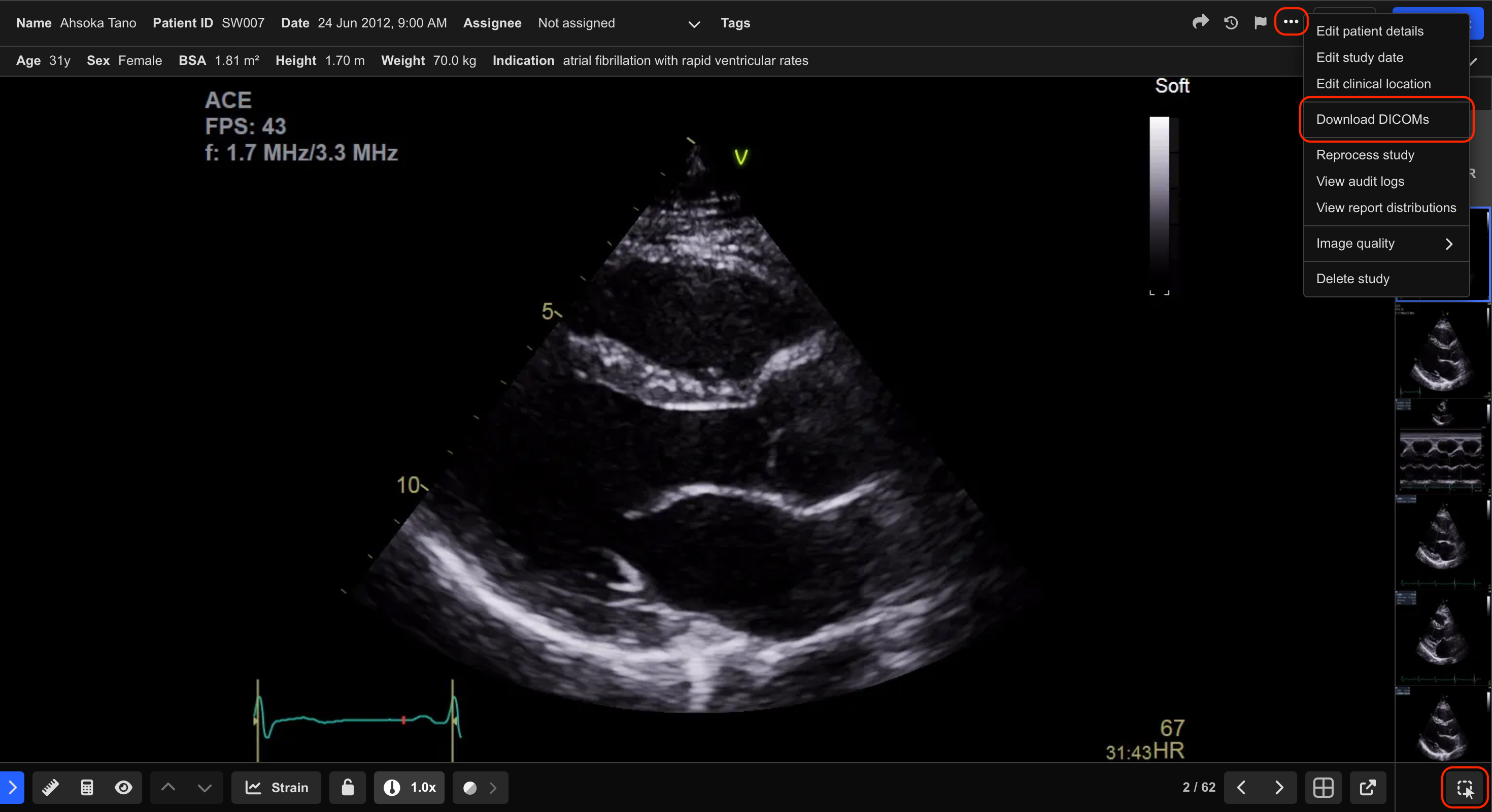
- Open the target study in the Study Viewer.
- Select the More Actions (Ellipsis) icon in the top-right corner.
- Select Download DICOMs.
The study downloads as a ZIP archive containing the DICOM files.
Download Selected Clips
Download a Single Clip
- Right-click the desired clip from the Clip List.
- Select Download DICOM.
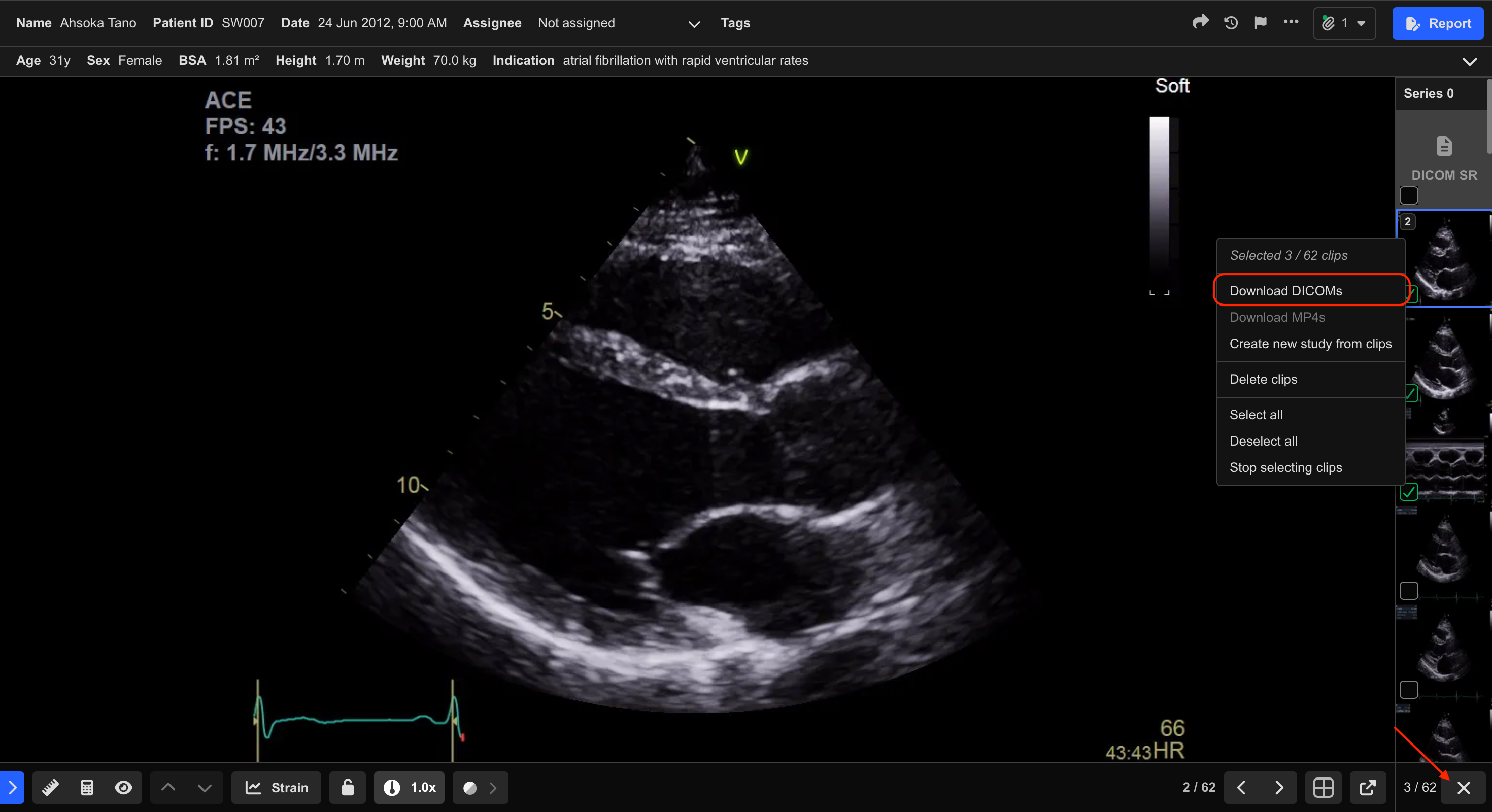
Download Multiple Clips
- Select the Multi-Select icon in the bottom-right corner of the Clip List.
- Select the desired clips.
- Right-click one of the selected clips.
- Select Download DICOMs.
The selected clips download as DICOM files.
Additional Notes
Downloaded DICOM files retain the original image data captured by the source device while reflecting supported updates made in HeartLab, including:
- Patient details
- Study information
- Stress echocardiography view labels
In-app annotations, measurements, and overlays are not embedded into raw DICOM downloads.
 MFR
MFR