

Measurements
Exclude from Mean
Include or exclude individual values from mean calculations in the Measurement Pane.
Mean Calculations
When multiple measurements are recorded for the same metric, HeartLab automatically calculates and displays the average (mean) value. The mean value is typically the measurement displayed in the final report for that metric.
Users can include or exclude individual measurements from the mean calculation directly within the Measurement Pane.
This guide explains how to manage measurement inclusion in mean calculations.
Steps
Step 1: Open the Measurement Pane
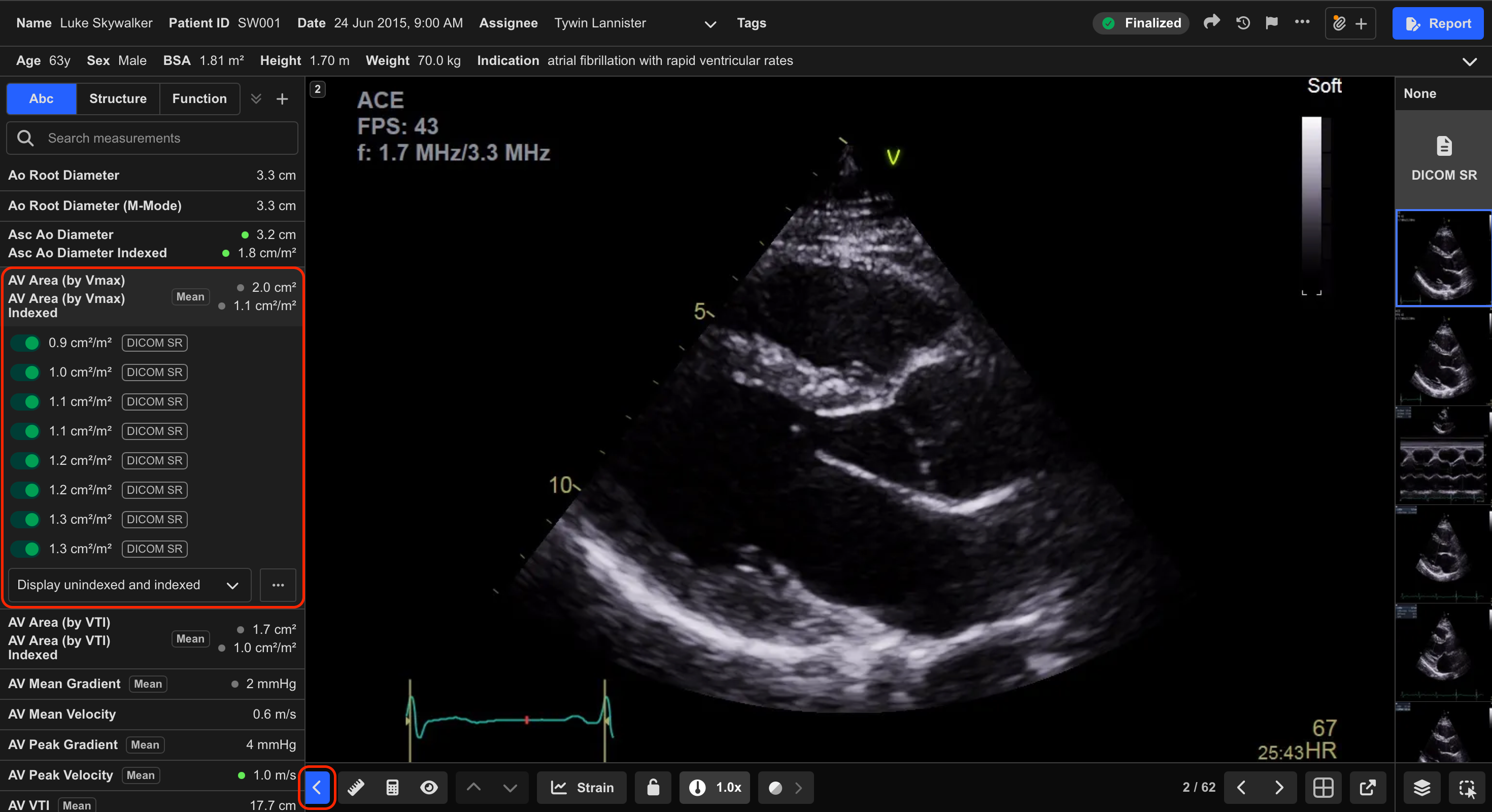
- Open the Measurement Pane within the Study Viewer.
Step 2: Locate the Measurement Group
- Locate the desired metric within the Measurement Pane.
- Select the metric to expand all associated measurements.
Metrics derived from multiple measurements are identified using the Mean label.
Step 3: Include or Exclude Measurements
- Toggle individual measurements on or off to control whether they are included in the mean calculation.
HeartLab automatically recalculates the mean value whenever measurements are included or excluded.
Exclude measurements that are technically limited, poorly aligned, or not clinically representative to improve reporting accuracy.
 MFR
MFR