

Connectivity
DICOM Identities
Create and manage DICOM identities so HeartLab can recognize incoming device sources.
DICOM Identities
Before a device or imaging system can send DICOM studies to HeartLab PACS, a DICOM Identity must first be created.
DICOM Identities allow HeartLab to:
- Recognize incoming devices
- Associate studies with the correct source system
- Configure connection and security behaviour
If you cannot see the DICOM settings, your role may not have the required Integrations permissions enabled.
Create a DICOM Identity
To create a new DICOM Identity:
- Navigate to Settings > Devices > DICOM
- Select Create DICOM Identity.
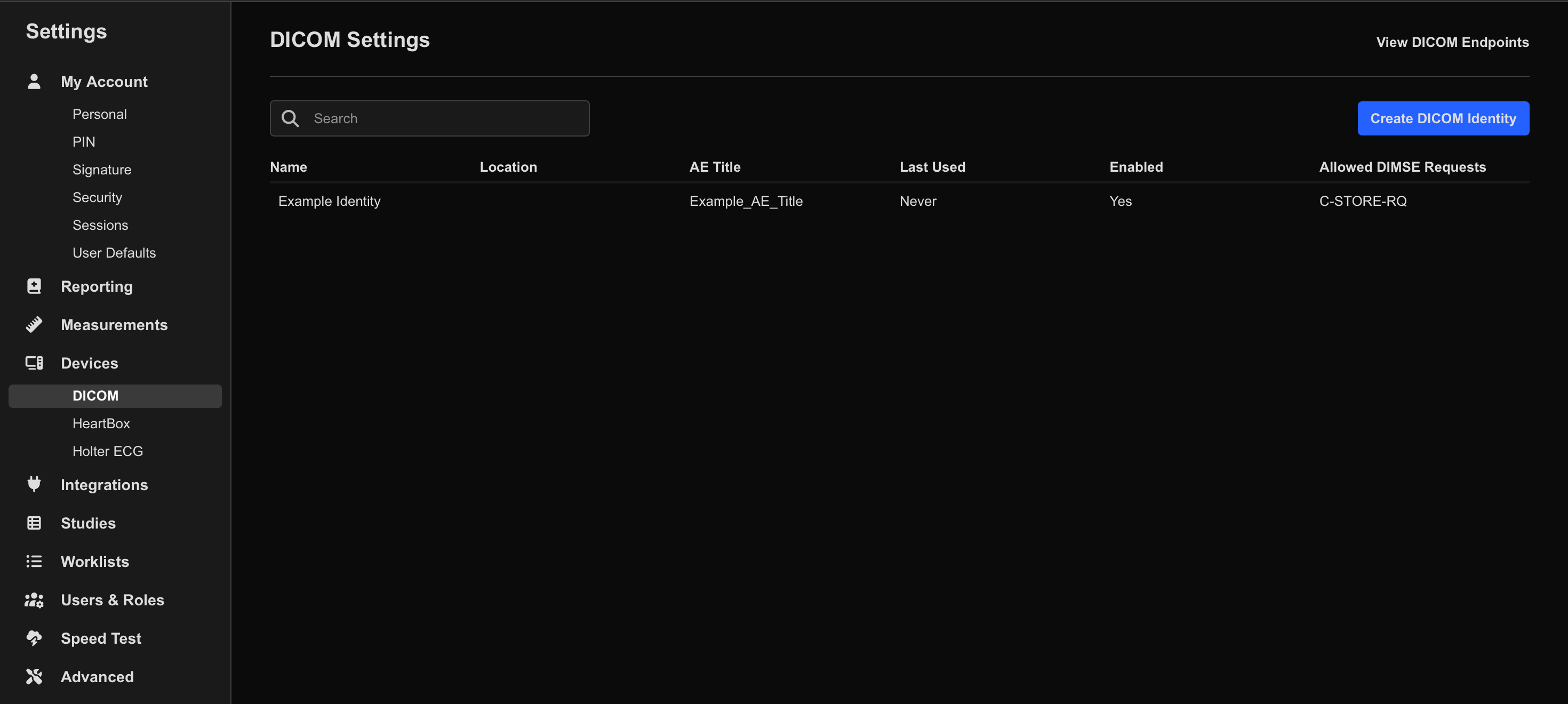
- Enter the required information:
| Field | Description |
|---|---|
| Name | The display name used throughout HeartLab. Use a name that is easily identifiable to your organisation (for example, machine model, room, or location). |
| AE Title | The DICOM AE Title used to identify the source device. If the device already has an existing AE Title configured, use that value. |
- Select Save.
Recommended naming convention examples:
Room1_EPIQ7ClinicA_Vivid95Mobile_CT_Unit
Configuring the DICOM Identity
Once created, the DICOM Identity configuration page provides additional management and security settings.
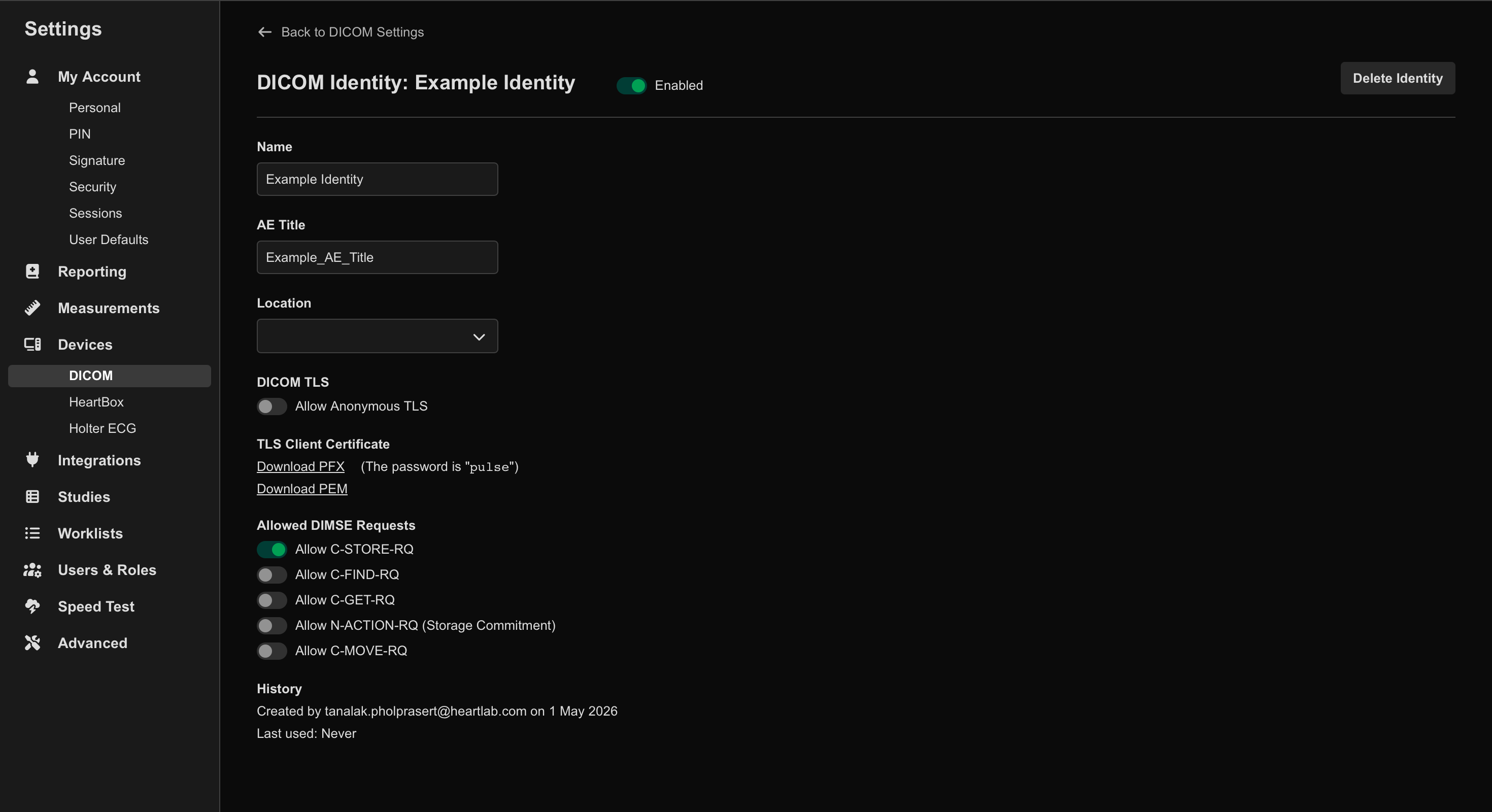
From the configuration page you can:
- Enable or disable the identity
- Delete the identity
- Configure Allow Anonymous TLS DICOM
- Configure DIMSE request type settings
- Review general usage and connection information
Anonymous TLS
Some devices support encrypted DICOM transmission using anonymous TLS.
When enabled:
- DICOM traffic remains encrypted
- Client certificate authentication is not required
Some integrations instead require authenticated TLS using client certificates.
DIMSE Request Type Settings
DIMSE request settings control which DICOM network operations are permitted for the identity.
These settings may vary depending on:
- Imaging vendor requirements
- PACS workflows
- Security policies
Usage Information
The DICOM Identity page also displays general connection and usage information, helping administrators:
- Confirm devices are communicating correctly
- Troubleshoot connectivity issues
- Audit device activity
Troubleshooting
Common DICOM connectivity issues include:
- AE Title mismatch
- Disabled DICOM Identity
- Incorrect TLS configuration
- Incorrect destination IP or port
The AE Title configured on the imaging device must exactly match the AE Title configured in HeartLab.